
Product Description
Autel MaxiFLASH XLINK — 3-in-1 Vehicle Communication and Programming Device
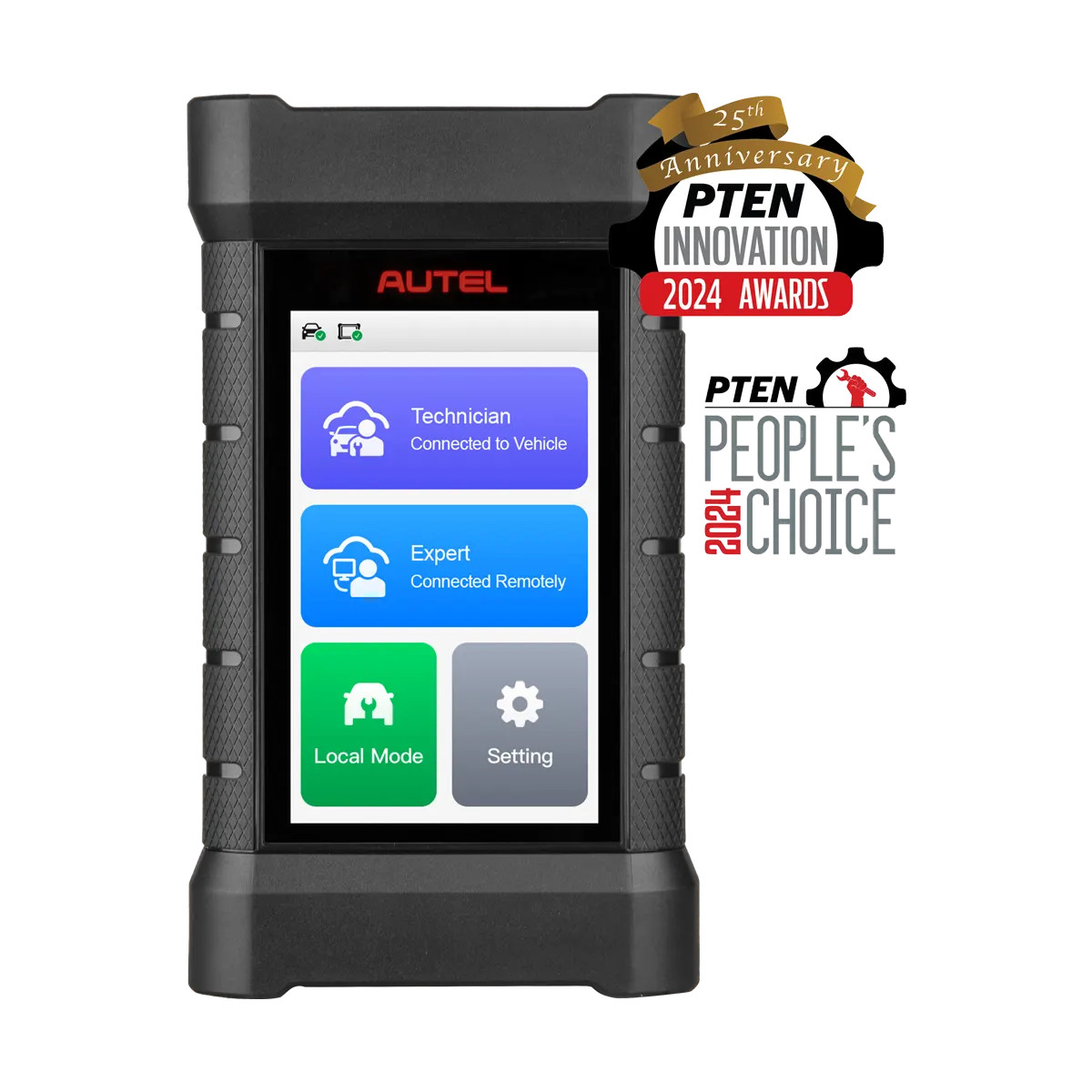
The Autel MaxiFLASH XLINK (SKU: XLINK) is a standalone 3-in-1 device that handles three distinct jobs: enhanced Vehicle Communication Interface (VCI), J2534 pass-thru programmer, and Remote Expert-ready connection point. At $1,395, it's aimed at shops that need more than a basic VCI — specifically those doing module programming with OE software, or those who want access to Autel's Remote Expert service for complex reprogramming jobs they can't handle in-house.
Three Functions in One Device
1. Enhanced VCI for MaxiSYS Tablets
The XLINK functions as an enhanced Vehicle Communication Interface when paired with any Autel MaxiSYS tablet. It supports the latest vehicle communication protocols and provides quicker communication and deeper systems access than a standard VCI. If you're already running a MaxiSYS tablet and your current VCI is limiting protocol coverage or communication speed, the XLINK is the upgrade path.
2. J2534 Pass-Thru Programmer
The XLINK is a fully capable J2534 pass-thru device, which means you can use it with OEM software subscriptions to flash and reprogram vehicle modules directly — without needing the OEM's proprietary interface hardware. This is essential for shops doing module replacement on vehicles that require OEM reprogramming (Ford, GM, Chrysler, imports). You subscribe to the OEM software, connect the XLINK to the vehicle's OBD port, and program onsite.
3. Remote Expert Ready
The XLINK connects to Autel's Remote Expert platform, which lets experienced Autel-certified programmers, diagnosticians, and system specialists remotely access the vehicle in your shop through the device. When you have a job that's beyond your current skill set — a complex BCM programming issue, a module that requires specialized knowledge — a Remote Expert can connect through your XLINK and handle it remotely. This is the feature that separates the XLINK from a standard J2534 device.
Technical Specifications
- Display: 4.0-inch TFT screen (480x800 resolution)
- Operating Voltage (Technician side): DC 9V to 36V via OBD port
- Operating Voltage (Expert side): DC 9V to 15V via adapter
- Communication Method: Ethernet
- Storage: 32GB
- Memory: 4GB RAM
- Power Consumption: Less than 5W
- Operating Temperature: -10°C to 50°C
- Storage Temperature: -20°C to 60°C
- Warranty: 1-year limited
Connectivity and Updates
- Hard-wire and Wi-Fi network communication options — flexible connection in any shop environment
- Updates via Internet connection — no tablet connection required to keep the device current
- Server and point-to-point dual-channel communication — supports both Remote Expert sessions and direct vehicle connections
- Compatible with all Autel MaxiSYS tablets
Who Should Buy the XLINK
The XLINK makes sense for shops in three situations:
- Independent shops doing module programming: You already have OEM software subscriptions (or plan to get them) and need a J2534 device that doesn't require buying factory scan tools. The XLINK handles the physical J2534 connection.
- Shops using Autel MaxiSYS tablets who want Remote Expert access: The XLINK is the hardware that enables Remote Expert sessions. If you want the ability to bring in a remote specialist on hard jobs, you need this device.
- Shops upgrading from a basic VCI: If your current MaxiSYS VCI is a bottleneck on protocol coverage or communication speed, the XLINK is the enhanced VCI upgrade.
The XLINK is a standalone device — it doesn't require a MaxiSYS tablet to function as a J2534 programmer, though it integrates with MaxiSYS tablets when you want diagnostic functionality alongside programming.
XLINK vs. VCMI: What's the Difference?
Autel's current flagship tablets (Ultra S2, MS919 S2, MS909 S2) include the VCMI2 — a 6-in-1 device that integrates VCI, J2534, oscilloscope, multimeter, CAN Bus tester, and waveform generator into the tablet package. The XLINK is a separate, dedicated J2534/VCI/Remote Expert device. If you're buying a new Autel tablet, the bundled VCMI2 covers VCI and J2534. The XLINK is most relevant if you're adding J2534 capability to an older MaxiSYS tablet, or specifically need Remote Expert access as a standalone capability.
Why Buy From OEM Diagnostic Tools?
OEM Diagnostic Tools has specialized in professional diagnostic equipment since 2016. We sell the full Autel lineup and understand where each device fits in a shop's workflow. Free shipping on every order. Call 866-217-0063 for tech support — we'll tell you whether the XLINK is the right tool for what you're trying to do, or whether a different configuration makes more sense for your situation. Full Autel warranty on every unit we sell.
Call 866-217-0063 for quick answers and help!